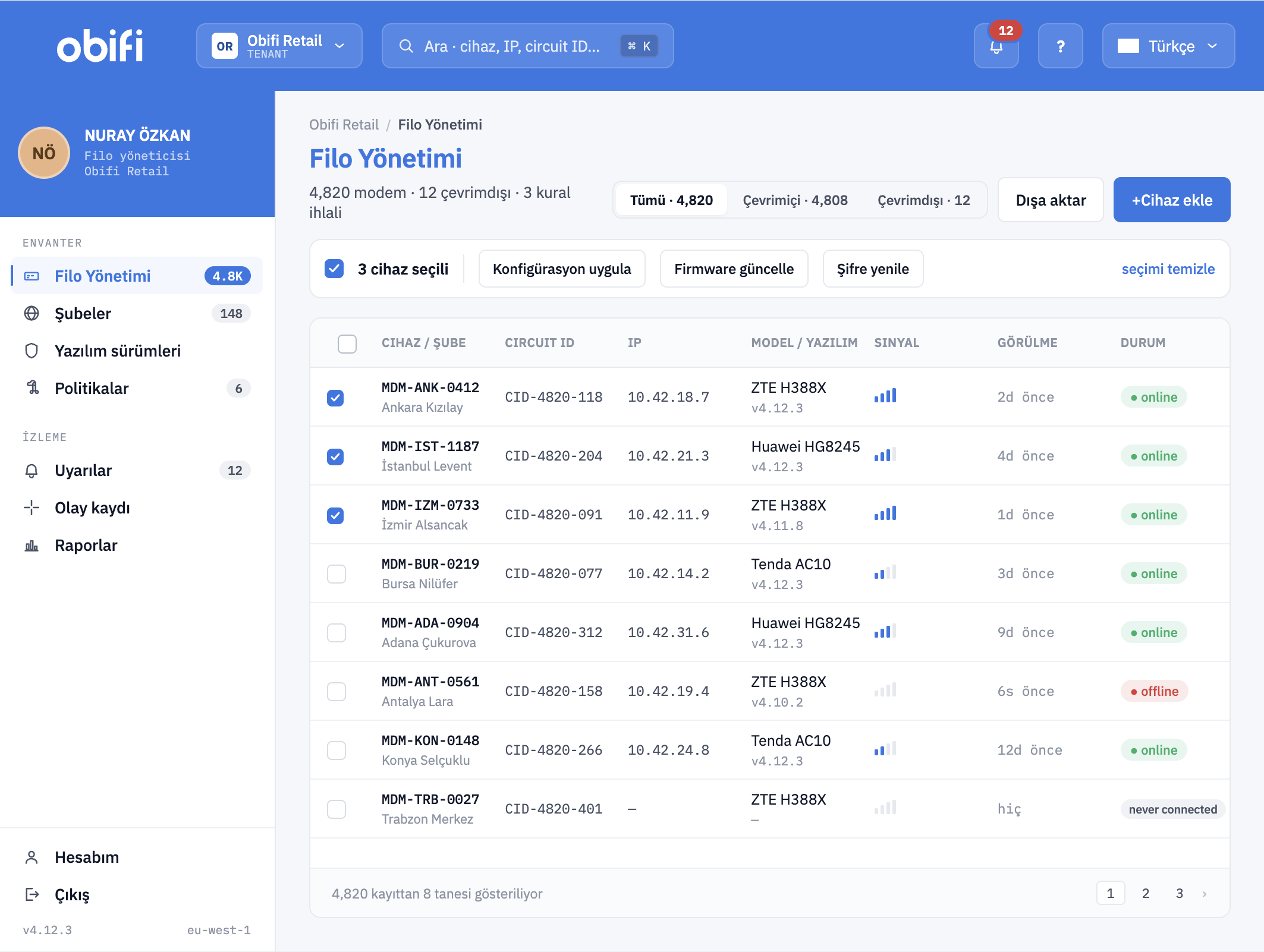
Real-time monitoring and visibility
The online/offline state of every modem and router, its signal and connection quality and its basic security status are visible in the panel at a glance. Devices can be pinged and reachability-tested remotely, and a security check (self-test) can be triggered on the device itself. Uptime is kept per device; daily and monthly running times are reported comparatively, so branches with frequent outages surface on their own.
Device identification with DHCP Option 82
Device identity is bound to the connection point rather than to a MAC address or a static IP. Edge devices carry Circuit ID, Remote ID, serial number, VLAN ID, physical port and, where present, SSID information in the Option 82 fields of the DHCP request; the IP assignment is made dynamically by the central server according to VLAN, Option 82 data, device profile and use case. Static IP use can be switched off. The format of the Circuit ID and Remote ID fields is customised to the organisation’s own naming scheme.
The article where we set out the reasoning behind this approach in detail: DHCP Option 82 device identification in field networks.
Bulk configuration and firmware management
A configuration template is applied to a selected device group or to the entire fleet in a single operation. Every change is versioned; when a template produces an unexpected result, the previous version is restored (rollback). Firmware updates are distributed in one step with integrity verification; a mandatory minimum version policy can be defined, update failures are reported per device and the devices that do not comply with the policy are listed.
Credential management and temporary access
The default username/password pairs on edge devices are changed centrally from the panel; complexity and periodic renewal rules are applied across the fleet. The web, telnet and SSH management interfaces of the devices can be restricted so that they are reachable only through the central system. The field technician or the installation company never sees the device password; when access is needed they receive a time-limited, single-use access token, and the access lapses on its own once the work is done.
For the background to this subject: Default password risk on field routers.
Role-based access (RBAC) and time-limited accounts
Administrator, operator and installer roles come ready; different authorisation levels are defined for groups such as in-house staff, subcontractors and field technicians. User accounts can be opened so that they are valid only until a given date. Every user operation, including sign-in, configuration change and authorisation change, is logged so that who did what and when can be seen.
Central and immutable log
DHCP requests, IP assignments, user operations, configuration changes and firmware updates are collected in a single log module. Records are searched, filtered and reported per event; the retention period is set according to the organisation’s policy (12 months and above). Once written, logs are kept immutable, their integrity is verified with a hash chain and their timestamps are synchronised over NTP. Copying to an external log server (SIEM, syslog) is supported; the chain needed for post-incident review stays complete.
Fault tracking and CRM integration
Loss of connectivity, device failure and anomalous conditions are detected instantly; notification goes out as email, SMS or a panel alert. Fault records can be transferred automatically over an API to the organisation’s existing fault/inventory (CRM) system. Alert emails arriving from NVRs and alarm panels are received through a mail service positioned inside the closed network, turned into structured data (parsing) and dropped into the CRM as an event. Device replacement and fault intervention are tied to an approval flow; field teams are not given permanent authorisation.
Location tracking and movement alarm
Modems are displayed on a map using the approximate location and base station information provided by the mobile operator. When a device that is expected to stay in a fixed location moves, the system raises an automatic alarm; a modem that has been removed and installed elsewhere, or stolen, is noticed on its first connection.
Access rules and network segmentation
Which device may reach which VLAN, IP or destination is defined as a rule; every modem talks only to the destinations it is authorised for. Use of the line outside its purpose (unauthorised internet access, traffic to undefined destinations) is detected and reported, and a rule violation raises an immediate alarm. To make device and NVR discovery with port scanning tools harder, unnecessary services are switched off and port hiding and an access allowlist are applied. Basic DDoS and traffic anomaly detection is done internally or handed off to third-party security systems.
Inventory, usage statistics and backup
MAC address, serial number, model, hardware revision, firmware version and last seen time are discovered automatically and kept in the inventory; keeping a list by hand is no longer needed. Downloaded/uploaded data and quota consumption are tracked per device; traffic is classified and analysed as video, alarm and management traffic. Device configurations and the system database are backed up periodically; disaster recovery scenarios are supported.
Scale, availability and deployment
A single installation scales up to 50,000 devices. An active-active high availability (HA) architecture leaves no single point of failure on the central side. The installation is done in the organisation’s own data centre, in an environment closed to the internet or with limited outbound access. The interface and documentation are available in Turkish. Commands can be sent to edge devices over SMS or a similar out-of-band channel; the device is reachable even when the data line is down. There is multi-vendor support; different brands and models are brought into the same panel. Where the restrictions of the manufacturer firmware (feature lock) are not enough for management, OBIFI’s OpenWrt-based firmware is loaded onto the device; this way the same capability set, the same Option 82 behaviour and the same agent run across the whole fleet, independent of the brand.